Android
Android app
Android 8.0 or newer. Allow installs from your browser when asked.
Free · Version 1.0.1
Your terminal sessions and coding agents keep running on your computer. You check on them, answer their questions and pick up where you left off — from your phone, tablet or any browser.

What it does
Coding agents take minutes or hours. Sync Log means you don’t have to sit and watch them.
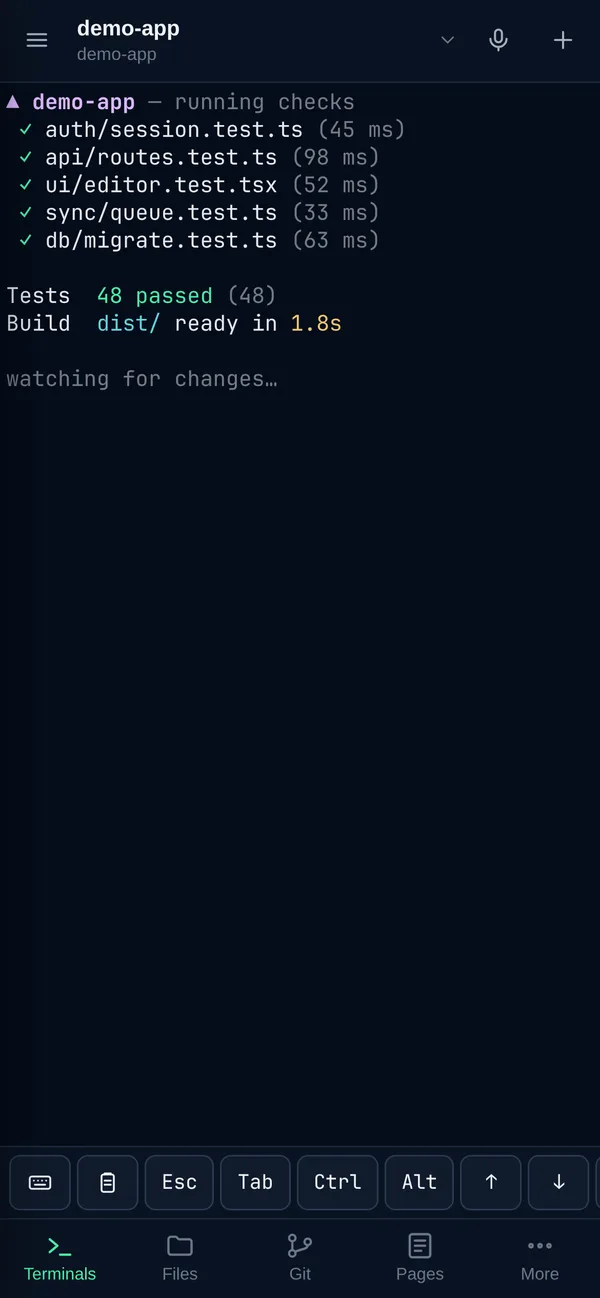
Terminals live in a small background service on your computer. Close the window, restart the app or lose your connection — the session keeps running, and you reconnect to the same screen with full scrollback.
Start Claude Code, Codex, Gemini CLI, GitHub Copilot CLI, Aider, Goose and more — or your own tools — with one command or tap. Give each a task and a workspace, and run several side by side.
When an agent asks a question, the Android app shows a notification you can answer right there.
Dev servers started in a session appear automatically, so you can open your app on your phone.
Talk to your terminal. Speech is transcribed on your own computer — no audio leaves it.
Browse and edit files, review diffs and commit, without leaving the session.
Everything works from the synclog command too, so agents can drive Sync Log themselves.
Nothing is reachable until you choose: your Wi-Fi, Tailscale, or a Cloudflare tunnel. Devices pair with one-time codes.
Download
Install it on the computer where your code lives, then connect your phone. Your device is highlighted.
Android
Android 8.0 or newer. Allow installs from your browser when asked.
iPhone
A Home Screen app served by your own computer — no App Store needed.
macOS
M1 and newer, macOS 12 or later.
macOS
macOS 12 or later. Voice dictation is not available on Intel Macs.
Linux
x86_64. Install with: sudo pacman -U synclog-*.pkg.tar.zst
Windows
In development. Join the list by watching this page.
Setup
synclog command in Terminal.sudo pacman -U synclog-1.0.1-1-x86_64.pkg.tar.zstsystemctl --user start synclogdsynclog open.The iPhone version is a Home Screen web app served by your own computer, so there’s nothing to download from the App Store. Lock-screen answers are Android-only for now.
Questions
No. Sync Log runs on your computer. Your phone talks to your computer directly over your network, Tailscale, or a Cloudflare tunnel that you turn on. There are no Sync Log accounts.
Anything that runs in a terminal. Sync Log has one-tap launchers for eleven popular agents, including Claude Code, Codex, Gemini CLI, GitHub Copilot CLI, Cursor Agent, Aider and Goose, and you can run any other command too.
It’s in development. The Linux and macOS versions come first because they share the same terminal system underneath.
Sync Log is free to download and use.